PhotoSweep
Native iOS Photo Library Experience

PhotoSweep

Swipe to tidy up your photo library.
The more photos you take, the easier tidying up should be.

Photos Videos Live Photo
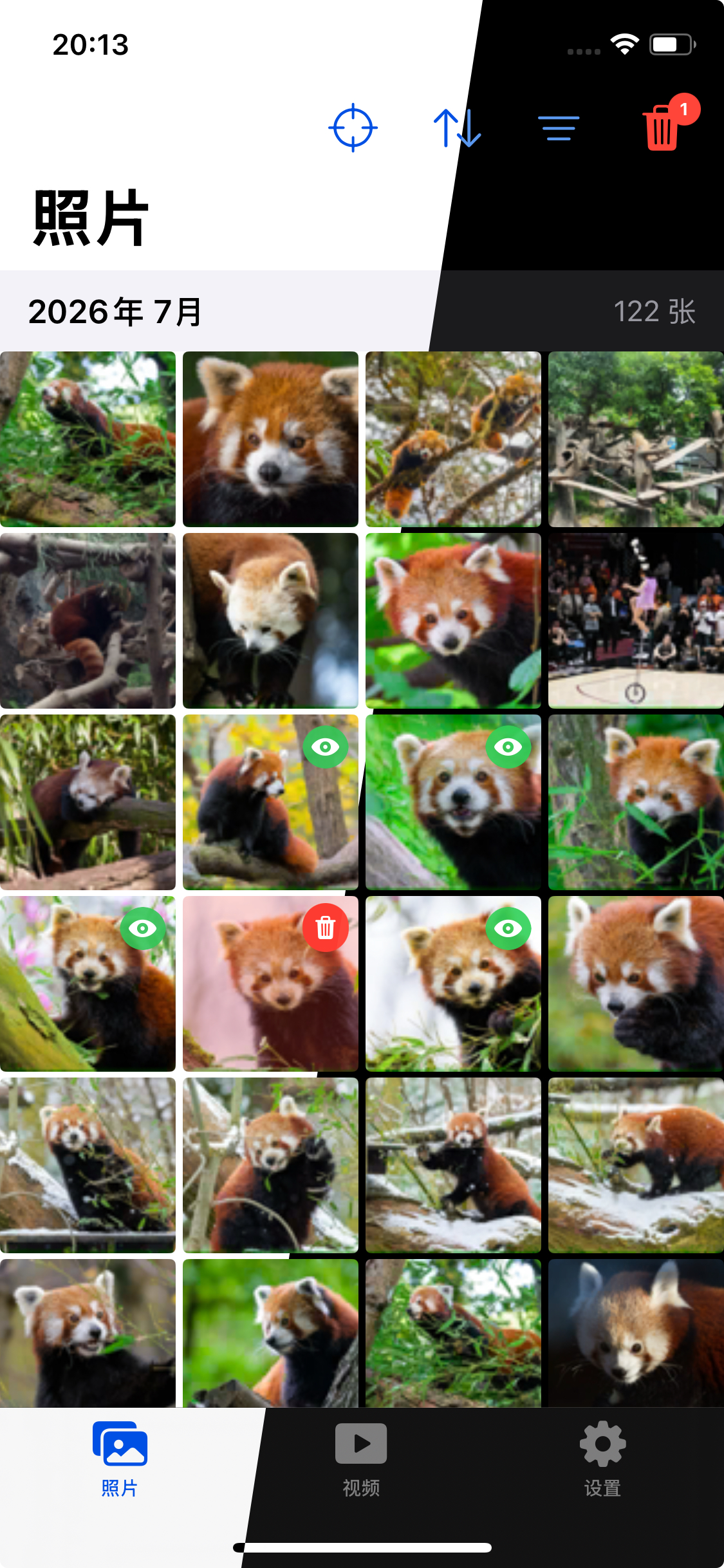
Album home
Photo preview
Pending deletion

Thousands of photos and videos piling up and eating up your storage?
Still tapping delete and confirming one by one? Which ones have you reviewed? Which ones have you decided to remove?
Let PhotoSweep answer that for you.

Fewer taps, more ease. One swipe to lighten your photo library.

Swipe to organize
Swipe down to delete

Swipe to tidy up your photo library

In PhotoSweep, swipe left or right to view the previous or next item. Don't want to keep one? Swipe down to drop it into the pre-delete queue. Changed your mind? Swipe up to bring it right back. Everything gathers in a confirmation page where you make the final call — quick, organized, and worry-free.

Swipe Left — Previous Go back to the previous item, smooth browsing
Swipe Right — Next Move to the next item, fast browsing
Swipe Down — Queue for Deletion A gentle swipe adds to queue, no immediate deletion
Swipe Up — Restore Changed your mind? Swipe up to recover instantly

Native iOS photo library experience,
with more efficient organizing tools

Mark Reviewed & Pending Deletion

Clearly mark each photo's status - reviewed, pending deletion - all visible at a glance, no repeated organizing.

Sort by Date & Album Selection

Browse sorted by date, freely choose a specific album to organize, flexible and efficient.

Smart Filtering

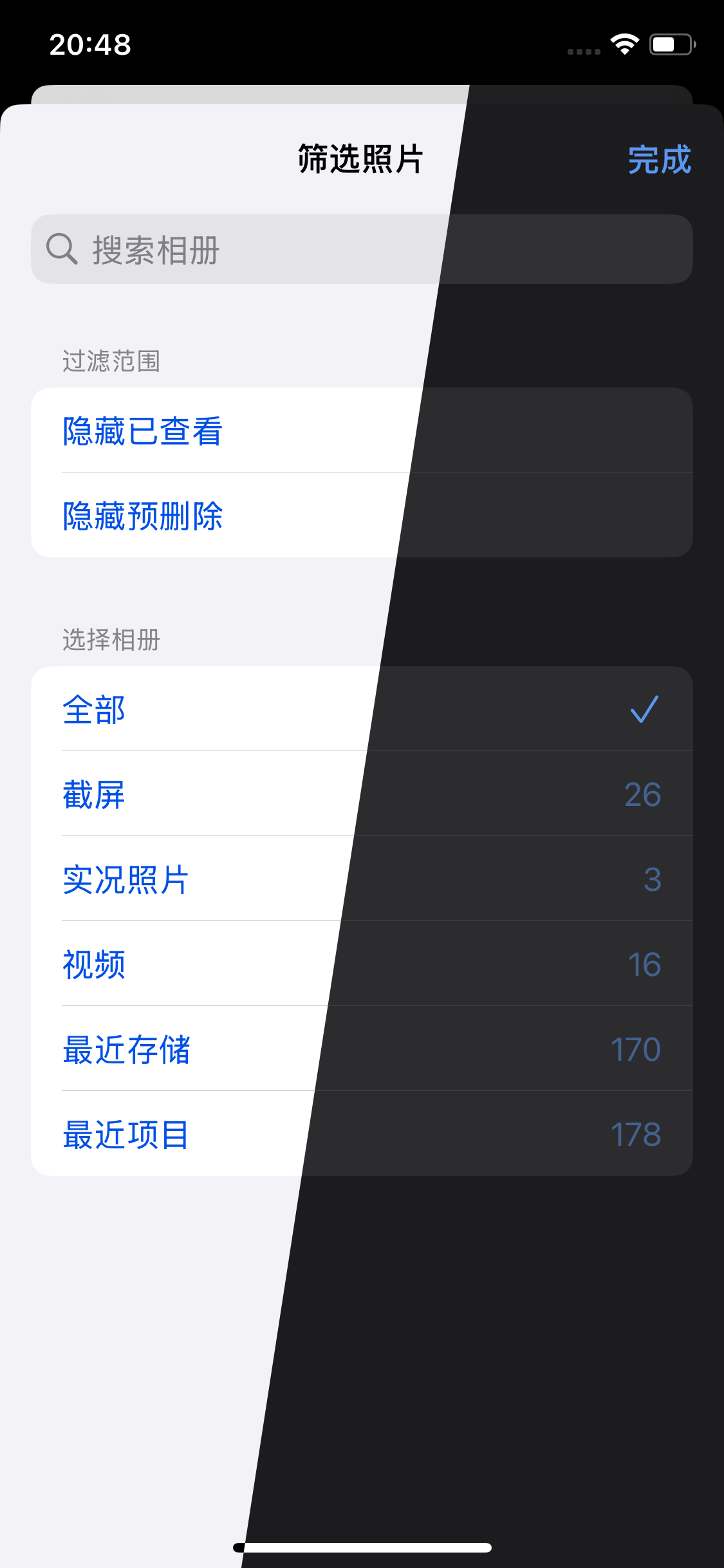
Filter out reviewed or pending-delete content, only show items that need organizing, reduce distractions.

Quick Resume from Last Position

Jump back to where you left off with one tap, no manual scrolling needed.

Video & Live Photo Support

Preview videos directly, long-press to play Live Photos, organize photos and videos together.

Organizing Stats & Space Estimate

Track browsed, marked, and cleaned counts with estimated space saved, making results visible.

Every screen, true to iOS

Full support for light and dark modes, following Apple design guidelines for a familiar and efficient experience.

Album home

Album Browse

Photo preview

Full Screen Preview

Filter panel

Smart Filter

Pending deletion

Pending Deletion

Your photo library,
always in your hands

Browsing, filtering, marking, and organizing your photos and videos all happen locally on your device. Nothing is uploaded to our servers. Your browsing progress and pre-delete records are stored only on your current device.

Swiping down only adds an item to the pre-delete queue — it does not delete the photo immediately. Only after you confirm again on the "Pending Deletion" page will the app call the iOS system photo library to perform the deletion.

Local Processing, No Uploads

All photo browsing, filtering, and organizing happen locally on your device. We don't create cloud photo copies or include third-party ads or cross-app tracking.

This app does not send photos or videos to CC Studio or any third party
Pre-delete only records state, no immediate deletion
No IDFA, ATT, or cross-app tracking
Deletion performed by iOS, recoverable from Recently Deleted

One swipe
to lighten your photo library

Fewer taps, more ease. Start organizing your photo library now.

Free Download on App Store